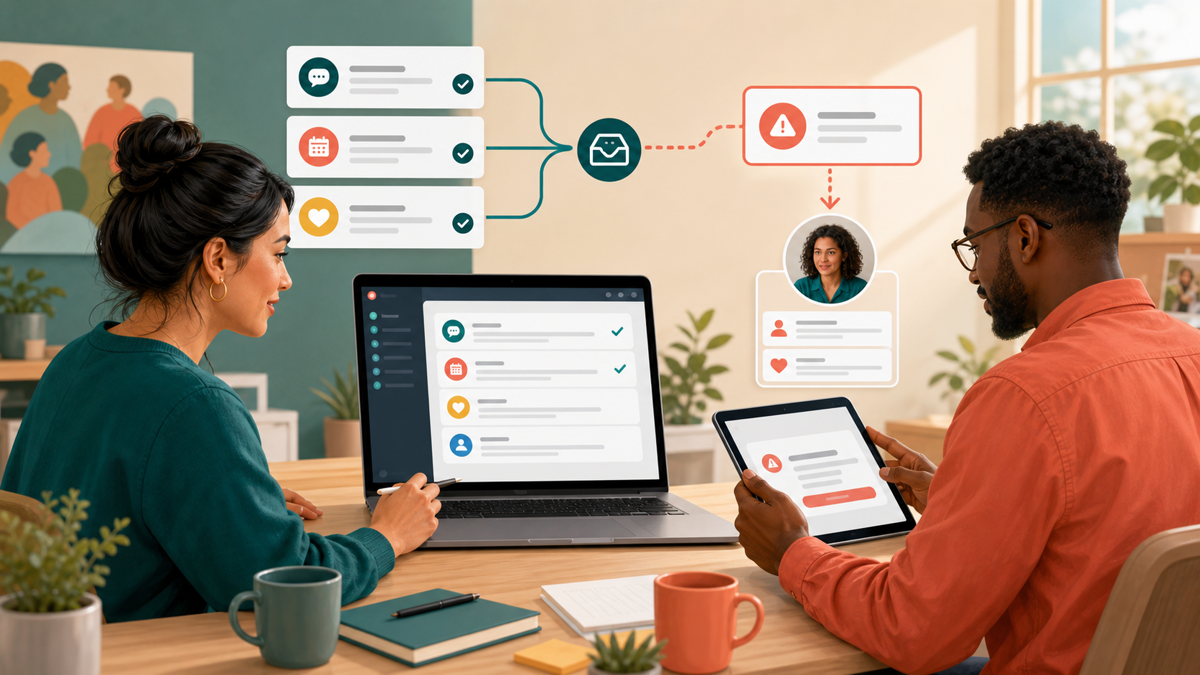
For volunteer groups, arts programs, and membership organizations, a Facebook Page is often the public’s first place to ask about events, dues, donations, and volunteer opportunities. Repeating the same answers can exhaust a small team. A well-designed response workflow reduces that repetition, sets realistic expectations, and routes sensitive questions to a person. The goal is not to replace community connection; it is to preserve human attention for the conversations that need it.
The Unique Communication Challenges for Volunteer Teams
Community teams rarely have dedicated shifts. The person checking messages on Tuesday may not be the volunteer who logs in on Saturday. Response times vary, useful knowledge can stay with one person, and repetitive questions consume limited time. A structured inbox gives the public an immediate baseline response while leaving judgment and follow-up with the right volunteer. Organizations extending that approach to phone inquiries can review this missed-call follow-up guide for consent-aware wording and a simple handoff back to a human.
Centralizing Communication with Meta Business Suite
Before diving into automated replies, it is crucial to understand the foundational tools available for managing a Facebook Page. For most community groups, the Meta Business Suite serves as the central hub for managing Page messages. According to official Meta documentation, a person needs either Facebook access or specific task access to a Page in order to manage instant replies and other messaging features (Source).
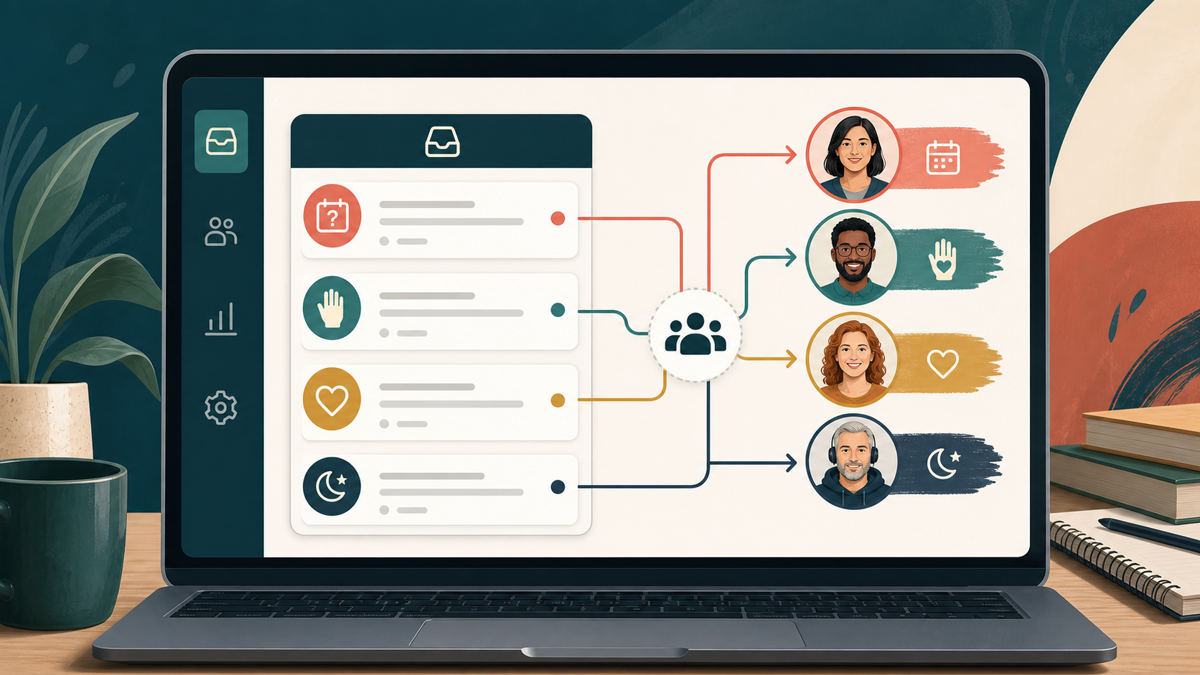
Within the Meta Business Suite, the Inbox is a powerful organizational tool. It can bring together Messenger, Instagram, and WhatsApp conversations into a single unified view, subject to your account connections and access levels (Source). This is particularly useful for organizations that maintain a presence across multiple platforms but want a single place for volunteers to check for incoming queries.
The Inbox supports a variety of features designed to help teams stay organized. It supports standard replies and comments, but also offers filters, assignment and follow-up organization, labels, search capabilities, status updates, and automations. By utilizing labels (e.g., “Volunteer Inquiry,” “Press,” “Urgent”), a team can quickly triage messages and assign them to the volunteer with the right expertise. It is important to note that the availability and behavior of these features can vary by account, region, channel, and connected assets, so teams should explore their specific Inbox to see what is currently accessible to them.
Building Your Human-First Automated Setup
With the Inbox organized, community groups can begin setting up automated responses to handle the initial interaction with a community member. These tools should be viewed as a friendly digital receptionist: greeting the visitor, answering the most basic questions, and taking a message for the human staff.
The Customized Greeting
The first point of contact is often the greeting. A Page can display a customized greeting when someone begins a conversation for the first time (Source). This greeting appears before the user even types a message, making it an excellent place to set expectations immediately.
For a community organization, a strong customized greeting might look like this: “Hello! Thanks for reaching out to the Downtown Arts Coalition. We are a volunteer-run organization and typically check messages on Tuesday and Thursday evenings. If you are looking for our upcoming event schedule, you can find it pinned to the top of our Page.” This simple automation immediately informs the user that they are speaking to volunteers, sets a realistic timeline for a human response, and proactively points them to commonly sought information.
Configuring Instant Replies
An instant reply is the Page’s automatic first response to a new message (Source). Once a user sends their first message, this reply is triggered immediately. Instant replies are excellent for acknowledging receipt of a message and providing critical, time-sensitive links, such as a link to a membership application, a crisis support hotline, or a frequently asked questions document.
It is important to understand the relationship between instant replies and other settings. Notably, instant replies are not sent while the Page messaging status is set to Away. This prevents a user from receiving a confusing barrage of automated messages—one saying “we got your message” and another saying “we are currently away.” It ensures that the communication remains logical and helpful.
Using Keyword Automations for Frequent Questions
Beyond the initial greeting and reply, keyword automations can trigger a response when a defined keyword or phrase is received (Source). This is highly practical for community groups fielding repetitive questions.
- Keyword: “Donate” or “Donation” – Triggers a response with a link to the organization’s official donation portal and tax ID information.
- Keyword: “Hours” or “Open” – Triggers a response detailing the operating hours for a community center, gallery, or food pantry.
- Keyword: “Volunteer” or “Help” – Triggers a response linking to the volunteer intake form and explaining the onboarding process for new members.
When setting up keyword automations, keep the responses concise and always offer a path to a human if the automated answer doesn’t fully resolve the user’s inquiry.
Native Page Features Versus Connected Chatbot Workflows
As a community organization grows, its messaging volume may outpace what native keyword automations and instant replies can comfortably handle. When deciding how to compare native Page tools with connected chatbot workflows, learning the foundations of Facebook Page automation helps organizations understand when to stick to built-in features and when they might need to graduate to dedicated third-party connected apps.
Native tools provided within Meta Business Suite are generally sufficient for basic routing, setting expectations, and answering a small handful of predictable questions. According to official Meta documentation, the Inbox supports automations and can bring together Messenger, Instagram, and WhatsApp conversations, subject to account connections and access. If a community group explores external API-driven solutions, they should verify specific features in the chosen tool’s current documentation. A neutral evaluation should ask questions regarding: structured intake, system connections, branching, permissions, retention, and human handoff. The key is to start simple and only add complexity when the volume of messages demands it.
Protecting Volunteer Time with Away Messages
Burnout is a significant risk for community volunteers. Protecting their time is paramount, and the Away message is a critical tool for establishing boundaries. A Page can send an away message when its messaging status is Away (Source). This signals to the sender that the team is currently offline and unable to respond immediately.
To make this manageable without requiring manual toggling every day, away schedules can be aligned to business hours or, in the case of community groups, “volunteer hours.” For example, a youth sports league might set their status to Away from 8:00 PM to 8:00 AM every day, and all day on Sundays. During these times, anyone who messages the Page will receive the designated away message.
A crucial benefit for organizations concerned about their public metrics is that away messages are not included in Page response rate or response time calculations. This means volunteers do not need to feel pressured to log in late at night to maintain a “Very responsive to messages” badge; the system understands that the Page is officially off the clock.
The Golden Rule: Establishing a Human-First Escalation Boundary
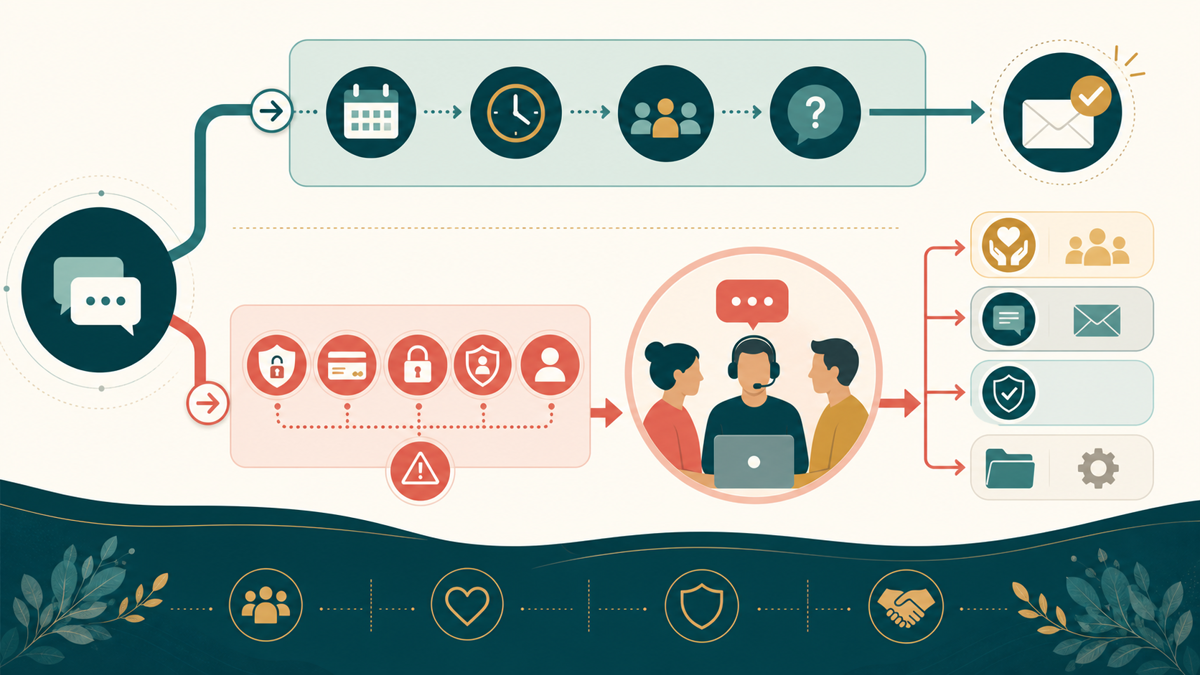
The most important principle in community automation is knowing when not to automate. For crisis, medical, safety, legal, security, privacy, abuse, payment/refund, account access, and state-changing requests, automation may only acknowledge and route. Automation is not a substitute for emergency services or a qualified human. Community organizations must maintain a strict human-first risk boundary.
Any state-changing request or high-risk scenario should be immediately escalated to a real person. This includes, but is not limited to:
- Account and Membership Access: Questions about locked accounts, lost passwords for community portals, or disputes over membership status.
- Payments and Refunds: Inquiries regarding donation receipts, event ticket refunds, or missing membership dues.
- Security and Privacy: Requests for data deletion, privacy concerns, or reports of impersonation.
- Legal, Medical, or Safety Issues: Any mention of self-harm, community safety threats, legal disputes, or requests for medical advice (especially relevant for support groups).
- Reports of Abuse: Complaints about member behavior, harassment, or violations of community guidelines.
In these scenarios, an automated system should do no more than acknowledge the message and route it to a human administrator. Please use the appropriate local emergency or professional channel when immediate help is needed.
Creating a Practical Response Workflow
To visualize how these tools work together, community teams can map out their response workflow. Below is a practical implementation table showing how different scenarios can be handled through a thoughtful mix of automation and human intervention.
| Scenario | Automation Role | Human Action |
|---|---|---|
| First-time visitor opens chat on the Page | Customized Greeting sets expectations about volunteer response times. | None required unless the user sends a specific question after the greeting. |
| User asks “When is the next board meeting?” | Keyword Automation (“meeting”) replies with a link to the public community calendar. | None required, unless the user expresses confusion with the calendar link. |
| Message sent at 11:30 PM on a Saturday night | Scheduled Away Message informs the user that the team returns to check messages on Monday. | Volunteer reviews the message on Monday morning and replies if necessary. |
| User reports a physical safety concern at a recent event | Instant Reply acknowledges receipt (if the Page is not currently marked as Away). | Immediate Escalation. Designated safety officer reviews and responds directly to the user. |
| User asks for a refund on a charity gala ticket | Automation acknowledges the message and informs them it will be reviewed. | Escalation. Treasurer or event coordinator reviews policy and processes manually. |
Evaluating AI and Automated Chats
As organizations look toward more advanced integrations to handle complex community needs, they must be aware of the rules governing automated conversations. Pages may use Meta APIs to create automated chats on Messenger, allowing for more complex programmatic responses (Source). According to Meta’s help guidance, automated-chat disclosures may be required where applicable law requires them, including at the beginning of the interaction, after a significant lapse in the conversation, and when a human conversation returns to automation.
This ensures the user understands the nature of the interaction. Transparency builds trust, which is the currency of any community organization.
Furthermore, organizations must be exceptionally cautious when utilizing generative AI. AI-generated answers can be inaccurate or inappropriate, so human escalation and review remain absolutely necessary. For a community organization where trust and accurate information are paramount, relying solely on unmonitored AI to answer community questions introduces unnecessary risk. The safest approach is to use automation for routing and static answers, leaving complex dialogue to the dedicated humans who care about the community.
Conclusion
A Facebook Page response workflow should empower a community organization, not overwhelm it. By utilizing native tools like customized greetings, instant replies, and away messages, volunteer teams can regain control of their time and their inbox. When these tools are deployed with a strong human-first boundary—ensuring that sensitive, complex, or high-risk conversations are always handled by a real person—the result is a more responsive, organized, and sustainable community presence. Technology handles the repetition, allowing the volunteers to focus on the meaningful connections that make the organization thrive.
Review the workflow as volunteer hours, events, and common questions change. Current replies and escalation rules keep the organization’s digital front door useful and unmistakably human.

0 Comments